
Last updated on November 17th, 2026 at 09:47 am
Technically Reviewed by: Marsh M. | Licensed Appliance Technician | 15+ years experience | Perth & Melbourne
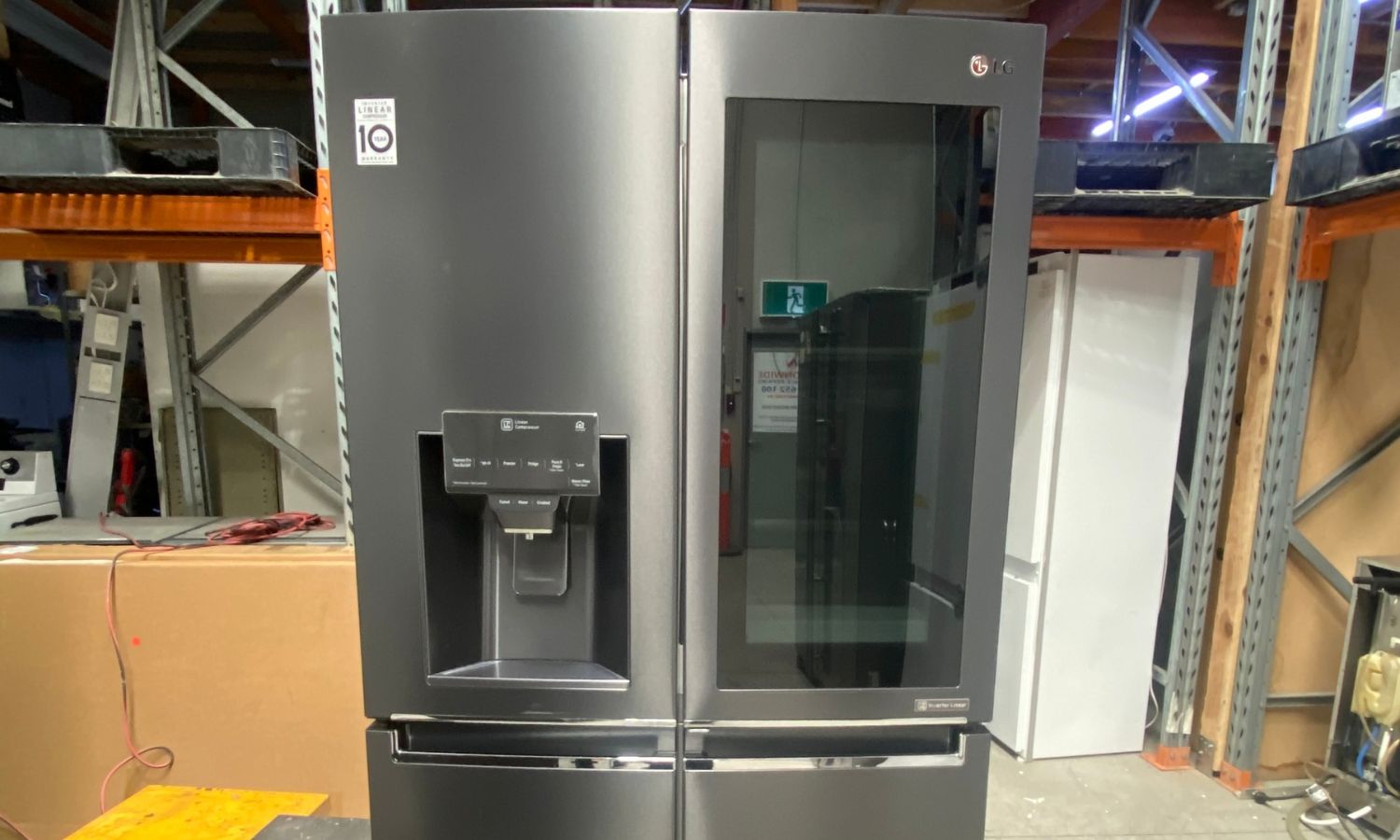
A smart fridge looks like the future: a touchscreen on the door, a camera inside, and an app that tells you you’re out of milk. Underneath, though, it keeps food cold in exactly the same way as any other fridge. What makes it “smart” is the layer of sensors, electronics and Wi-Fi on top.
Here’s how that works, what a smart fridge can and can’t do, the disadvantages worth knowing before you buy, and what happens when one needs repairing.
How Does a Fridge Work?
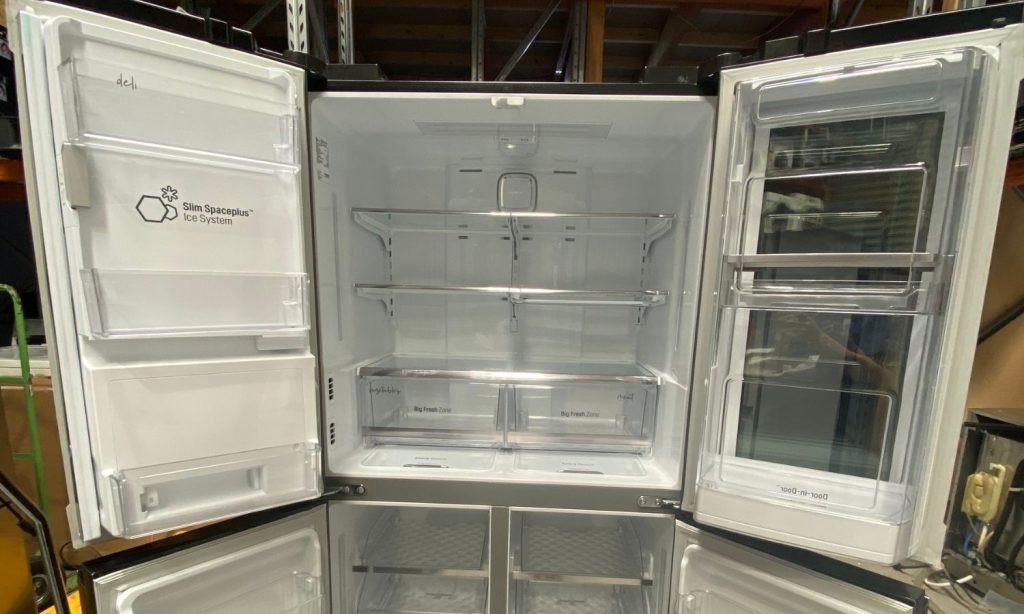
Every fridge, smart or not, cools the same way. A refrigerant gas is pumped around a sealed loop:
- The compressor squeezes the refrigerant, which heats it up.
- The condenser (the coils or panel at the back or underneath) releases that heat into your kitchen, and the refrigerant turns into a liquid.
- The refrigerant passes through a narrow tube or valve, which drops its pressure and temperature sharply.
- The evaporator inside the fridge or freezer absorbs heat from the air as the refrigerant turns back into a gas. Fans blow that cold air through the compartments.
- The cycle repeats, switching on and off to hold the temperature you’ve set.
Frost-free fridges also run a defrost cycle, using a small heater to melt frost off the evaporator. A thermostat or temperature sensors tell the control board when to run the compressor and fans.
That’s the whole cooling system. A smart fridge has all of it, plus extra electronics.
What Makes a Fridge “Smart”?
A smart fridge, sometimes called a connected or Wi-Fi fridge, adds some or all of these:
- Wi-Fi and an app. You can check and change the temperature, switch on fast-cooling modes and get alerts on your phone, such as a door left open. Samsung uses the SmartThings app and LG uses LG ThinQ.
- Cameras inside. On Samsung’s Family Hub models, the inside camera takes photos automatically when the doors are closed, so you can see what’s in the fridge from your phone. Samsung’s newer AI models can recognise up to 33 different food items going in and out and keep a food list in the app.
- A touchscreen. Some models have a large screen on the door for notes, calendars, recipes, music and controlling other smart devices.
- Self-diagnosis. LG’s ThinQ app includes Smart Diagnosis, which checks the appliance’s condition and helps troubleshoot faults.
- Extra sensors. These monitor temperature, door openings and sometimes humidity, and adjust cooling to match.
Not every smart fridge has every feature. Some only add Wi-Fi and an app, while others have the full screen and cameras.
Advantages of Smart Fridges
Convenience
Checking what’s in the fridge from the supermarket, getting an alert when the door hasn’t closed, or adjusting the temperature from your phone are genuinely useful. A door alert in particular can save a fridge full of food.
Food Management
Cameras and food lists can help you use what you have before it goes off and avoid buying doubles. How well this works depends on the model, and on you keeping the list up to date.
Remote Monitoring and Alerts
If the power goes off or the temperature rises, some models will warn you on your phone. That gives you a chance to move food before it spoils. Food Standards Australia New Zealand advises keeping refrigerated food at 5°C or colder.
Energy Monitoring
Some apps show how much energy the fridge is using and offer eco modes. This helps you understand your usage, but it doesn’t make an inefficient fridge efficient. A fridge’s energy use mostly comes down to its size, type and star rating. The Australian Government’s Energy Rating website lets you compare the estimated annual energy use and running costs of different models.
Disadvantages of Smart Fridges
Cost
Smart fridges cost more than comparable models without the smart features. You’re paying for the screen, cameras and electronics, not better cooling.
More Parts That Can Fail
A smart fridge has everything a normal fridge has, plus Wi-Fi modules, screens, cameras and extra control boards. More electronics means more things that can go wrong, and those parts can be expensive to replace.
Dependence on Wi-Fi and the App
If your Wi-Fi drops out, the app is changed, or you change your router, the smart features can stop working until you reconnect. The fridge should keep cooling, but you lose the remote features.
Software Support
Smart features rely on the manufacturer’s app and updates. Over a fridge’s long life, a model may stop getting new features or updates, while the fridge itself keeps working.
Privacy and Security
A connected fridge is another device on your home network. Use a strong Wi-Fi password and install updates when your fridge or app prompts you.
Complexity
Touchscreens, apps and settings menus can be confusing, especially for less tech-savvy household members. Most smart fridges can still be used like a normal fridge, so nobody has to use the smart features.
Are Smart Fridges Harder to Repair?
Mostly, no. The cooling system (the compressor, fans, defrost system, thermostat and seals) is the same as in any other fridge, and so are the most common faults. A worn door seal, a failed fan, a defrost problem or a blocked drain is repaired the same way on a smart fridge as on any other.
The difference is the extra electronics:
- Control boards and sensors are more involved on smart models, and parts can cost more. On one recent job, a fridge with a burning smell that kept tripping the power needed a new controller and temperature probes.
- Screens, cameras and Wi-Fi modules are model-specific parts, and availability varies.
- Error codes and app diagnostics can help a technician narrow down a fault faster. Our guide to freezer error codes explains some common Samsung and LG codes.
Some problems look like faults but aren’t. On one call-out, a freezer that seemed to have stopped working had food frozen solid inside. The only problem was ice building up around a door that hadn’t been closing fully. A door-open alert is designed to catch exactly that.
Before You Book a Repair
If only the smart features have stopped working:
- Check your Wi-Fi. Has your router or password changed?
- Update the app and, if prompted, the fridge’s software.
- Reconnect the fridge to the app following the manufacturer’s instructions.
- Restart it if your manual recommends a power reset.
If the fridge has stopped cooling, is making new noises or is showing an error code, that’s a fault with the fridge itself. See our guide on how to fix a refrigerator for what you can safely check. Our fridge repair cost guide explains how repairs are charged.
How to Clean a Smart Fridge
Cleaning a smart fridge is a job you can usually do yourself. Check your user manual first, as screens and sensors on some models have specific instructions.
You’ll need: mild dish soap, warm water, a soft microfibre cloth or sponge, a dry towel, and baking soda for odours (optional).
- Prepare. Move your food to another fridge or an esky with ice. Turn the fridge off or unplug it if your manual recommends it.
- Remove shelves and drawers and wash them in warm, soapy water. Let glass shelves reach room temperature before washing so they don’t crack.
- Clean the inside. Wipe all surfaces with a cloth dampened in warm, soapy water, then wipe again with clean water and dry.
- Clean the outside. Wipe the doors and handles with a damp cloth, then dry them. Use a stainless steel cleaner only if your manual allows it.
- Clean the screen and cameras. Turn the screen off and wipe it gently with a dry or slightly damp microfibre cloth. Don’t spray cleaner directly onto the screen, and avoid ammonia-based or abrasive cleaners. Wipe camera lenses gently with a soft, lint-free cloth.
- Keep sensors and ports dry. Don’t wet or poke at sensors, vents or connectivity ports. If they look dirty, follow the manual.
- Deal with odours. Leave an open container of baking soda inside to absorb smells.
- Reassemble and restart. Refit the shelves and drawers, switch the fridge back on, and let it reach temperature before restocking.
Wipe up spills as they happen, and give the fridge a full clean every few months.
Frequently Asked Questions
A smart fridge is a fridge with built-in Wi-Fi, an app and often extra features like cameras or a touchscreen. It cools food the same way as a normal fridge, but you can monitor and control it from your phone.
The main ones are the higher price, more electronic parts that can fail, reliance on Wi-Fi and the manufacturer’s app, privacy considerations, and features that can be more complicated than you need.
Wi-Fi lets you check and adjust the fridge from your phone, get alerts if a door is left open or the temperature rises, and, on some models, see inside the fridge or run a diagnostic check.
Not because they’re smart. A fridge’s energy use mostly depends on its size, type and star rating. Compare the Energy Rating Label, which shows the estimated energy use per year, before you buy.
Yes. The fridge keeps cooling normally without Wi-Fi. You just lose the app and remote features until it reconnects.
The cooling system should last as long as any comparable fridge, but the electronics may need attention or stop receiving updates during that time. See our guide on how long refrigerators typically last.
Need a Hand With Your Fridge?
Whether it’s a smart fridge or a standard one, our technicians can find the fault and explain your options before any repair goes ahead. Have your make and model number ready when you book. It’s usually on a label inside the fridge.
We repair fridges in Perth, Adelaide, Sydney, Melbourne and Brisbane. Book online or call 1300 834 633.