Last updated on November 16th, 2026 at 11:51 am
Technically Reviewed by: Marsh M. | Licensed Appliance Technician | 15+ years experience | Perth & Melbourne
Every morning, the sound of our coffee maker brewing is like music to our ears. But what if it starts making less coffee than before? Let’s dive into why this happens. It’s not just about the beans or the machine – many factors are at play. Join us as we uncover why your morning cup might shrink and how everything from bean quality to machine mechanics affects your brew.
In this comprehensive guide, we’ll explore the reasons behind this issue and provide practical solutions to get your coffee maker back in top form.
Quick Checks First
Before anything else, rule out these common causes:
- The water tank. Is it seated properly and filled above the minimum line? A tank that isn’t clicked in can starve the pump.
- The filters. A blocked water filter, coffee filter or filter basket slows the flow.
- The grind and dose. A grind that’s too fine, or too much coffee packed in, can choke the flow on espresso machines.
- Scale. If your machine is showing a descale light or message, or you haven’t descaled in months, that’s the most likely cause.
- Where the water is going. If water is ending up in the drip tray or capsule tray instead of your cup, there may be a fault inside the machine (see “From Our Technicians” below).
Getting to Know Your Coffee Beans’ Grade
To begin with, the coffee bean quality holds significant sway. If the beans used are of lower quality or have been stored improperly, they may not release as much flavour and aroma during brewing, resulting in a weaker coffee.
Next, the grind size of the coffee beans can impact the brewing process. For instance, a too-fine grind can lead to over-extraction and slow the water down, causing a bitter, concentrated brew, while a too-coarse grind might lead to under-extraction, resulting in a weak and watery coffee.
Other Factors to Consider
Another aspect to consider is the cleanliness of the coffee maker. Residue and mineral buildup inside the machine can hinder the water flow and the heating elements, affecting the overall brewing process. You can ensure a dependable coffee output by regularly cleaning and descaling your equipment. Below, we’ll explore some frequent reasons for this problem and provide solutions.
Clogged Water Flow
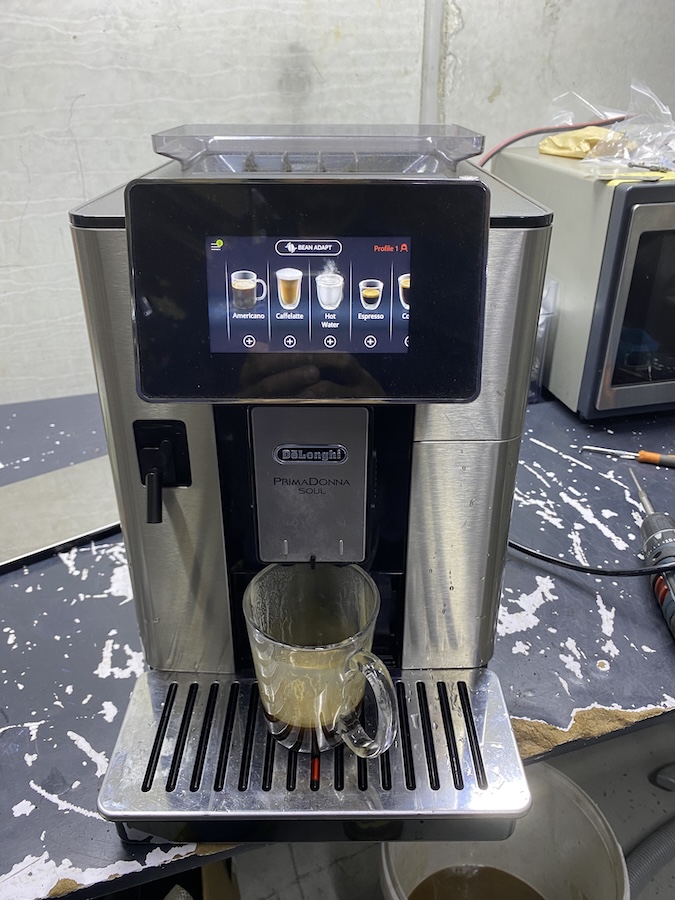
Over time, various substances like mineral deposits, coffee grounds, and oils can accumulate within the internal components of your coffee maker. This buildup gradually restricts the flow of water through the machine, which, in turn, leads to a slower brewing process and ultimately results in less coffee ending up in your cup. To unclog a coffee maker, follow these steps:
Switch Off First: Turn the machine off, unplug it and let it cool before cleaning any parts.
Descale With the Right Product: Use the descaling solution your manual recommends, and follow its descaling instructions. Some manufacturers advise against vinegar. De’Longhi, for example, says EcoDecalk is the only descaler it recommends for its machines, and that using an unsuitable descaler may result in faults not covered by the guarantee. Its Coffee Lounge guide also notes that DIY descalers like vinegar or lemon juice can cause corrosion and leave an aftertaste. Only use a vinegar mixture if your manual says it’s suitable for your machine.
Rinse Thoroughly: After descaling, run a few cycles with plain water to ensure all traces of descaler are removed. This prevents your coffee from tasting of it.
Clean External Parts: Don’t forget to clean external parts, such as the carafe and filter basket, with warm soapy water to remove any coffee oils and residue.
Incorrect Water Temperature
The water temperature is critical for brewing coffee. If your coffee maker isn’t heating the water to the proper temperature, it can lead to under-extraction, resulting in weaker coffee. Water at around 90°C to 96°C (195°F to 205°F) is generally ideal for brewing coffee.
Here’s how to address this issue:
Check Manufacturer Recommendations: Consult your coffee maker’s user manual for recommended water temperature settings. Make sure you’re using the appropriate setting for your coffee type.
Calibrate Your Machine: Some coffee makers allow you to adjust the water temperature. Follow the instructions provided in your manual to adjust it to the ideal temperature for brewing.
Don’t Pour Hot Water Into the Tank: Unless your manual says otherwise, fill the reservoir with fresh, cold water. If your machine no longer seems to heat the water properly, the heating element or thermostat may need checking by a technician.
Coffee Filter Issues
Picking the right coffee filter for your coffee maker matters a lot. If the filter is ripped or too fine, it can slow down how the water flows, making your coffee brew more slowly and not taste as good.
So, make sure you choose the right filter and check it for any damage to get the best coffee. Here’s a step-by-step guide to address filter issues in your coffee maker:
Step 1: Check for Filter Damage
- Over time, coffee filters can wear out, developing tears, holes, or weak spots.
- Damaged filters may allow coffee grounds to enter the brewing process, leading to blockages and slow water flow.
- To prevent this, inspect your coffee filter before every use.
- If you notice any signs of damage, such as holes or tears, it’s advisable to replace the filter promptly.
Step 2: Assess Filter Material Fineness
- Coffee filters come in various materials, such as paper, metal, or cloth, and they vary in thickness.
- Filters with an excessively fine texture can impede water flow through the coffee grounds.
- Slow water flow can extend the brewing time, potentially resulting in a weaker coffee extraction.
- Choose a filter material and thickness that aligns with your specific brewing method to ensure proper water flow.
Step 3: Select Appropriate Filters
- Always use filters that are suitable for your coffee maker and brewing style.
- Different coffee makers may require specific filter types, so consult your machine’s manual for guidance.
- If you’re using a reusable filter, ensure it’s in good condition and free from damage.
- Regularly clean reusable filters to prevent clogs and maintain optimal performance.
By following these steps and paying attention to the quality and suitability of your coffee filter, you can ensure a smooth and efficient brewing process, resulting in a consistently satisfying cup of coffee.
The Benefits of a Good Grinder for Your Coffee Maker
If you grind your own beans, a good grinder gives you uniform grounds for even extraction, keeps your coffee fresher, and lets you adjust the grind size to match your brewing method, whether it’s French press, pour-over or espresso. An inconsistent grind is a common reason espresso machines run slowly one day and too fast the next.
Cleaning Your Coffee Machines
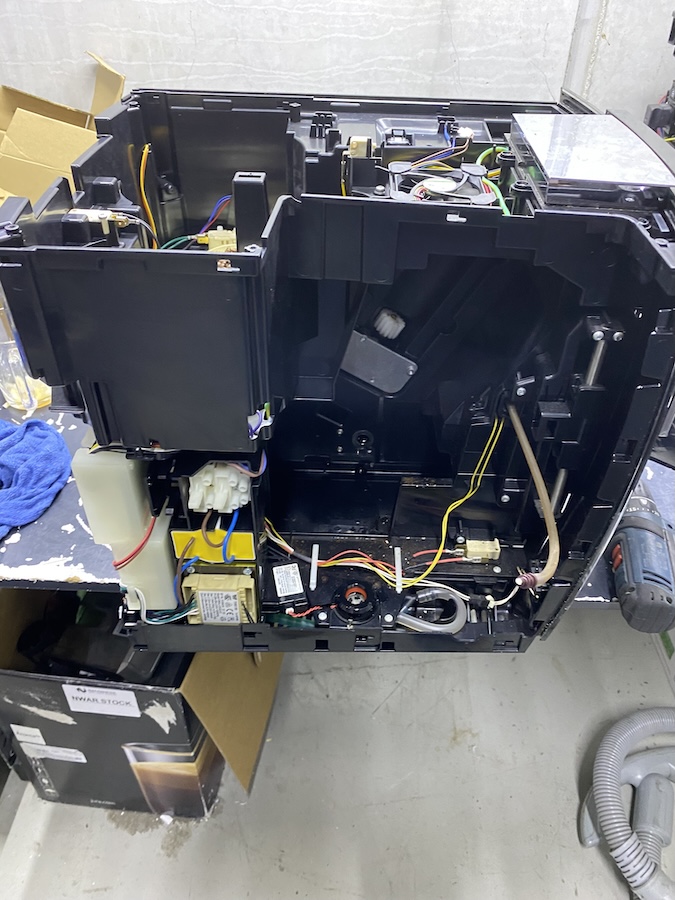
Proper maintenance is key to keeping your coffee machines in top shape. Regular cleaning not only improves performance but also extends its lifespan. Always switch off and unplug the machine, and let it cool, before cleaning. Here’s a cleaning routine to follow:
Daily Cleaning:
- Empty the Drip Tray: Start by removing and emptying the drip tray, which collects any spilled coffee or water.
- Clean the Coffee Spouts: Wipe down the coffee spouts with a damp cloth or sponge to remove any coffee residue or splatters.
- Empty the Coffee Grounds Container: If your machine has a container for used coffee grounds, empty it daily to prevent buildup.
Weekly Cleaning:
- Remove and Clean Removable Parts: Take out removable parts like the drip tray, water reservoir, and coffee grounds container. Wash them with warm, soapy water, rinse thoroughly, and let them air dry. Check your manual first, as some parts aren’t dishwasher-safe.
- Clean the Coffee Spouts and Nozzles: Use a soft brush or a coffee-specific cleaning brush to clean the coffee spouts and nozzles. This helps remove any dried coffee residue.
- Check the Coffee Grinder: If your machine has a built-in coffee grinder, check it for any leftover coffee grounds and clean it as needed.
Regular Descaling:
- Use the Right Descaler: Use a descaling solution suitable for your coffee machine. Consult your machine’s manual for specific recommendations.
- Follow the Descaling Process: Follow the manufacturer’s instructions for descaling your machine. Typically, this involves mixing the descaling solution with water and running it through the machine. Be sure to thoroughly rinse the machine afterward to remove any residual descaling solution. How often you need to descale depends on your water and how much you use the machine, so many machines show a reminder.
- Replace Water Filters: If your machine uses water filters, replace them according to the manufacturer’s recommendations. Some manufacturers say to remove the filter before descaling.
Additional Tips
- Use Filtered Water: If possible, use filtered water in your coffee machine to reduce mineral buildup.
- Regularly Clean the Exterior: Wipe down the exterior of your coffee machine with a damp cloth to keep it looking clean and free from coffee stains.
- Keep the Coffee Bean Hopper Clean: If your machine has a bean hopper, clean it regularly to prevent oil buildup, which can affect the flavour of your coffee.
By following this cleaning routine, you’ll ensure that your coffee machine remains in excellent condition, delivering delicious coffee every time you brew.
From Our Technicians
When cleaning and descaling don’t fix it, there’s usually a fault inside the machine. A few recent coffee machine jobs:
- Descale message that wouldn’t go away. On a Saeco machine, the descale prompt kept coming back. It needed a technician to find and fix the descaling fault.
- Coffee stopping after five seconds. A Breville Nespresso machine kept stopping extraction after about five seconds. A group head service fixed it.
- Coffee going into the drip tray. On a Miele coffee machine, coffee was ending up in the drip tray instead of the cup. The drainage valve was replaced.
- Water going into the capsule tray. On a Breville Nespresso pod machine, water was going to the capsule tray, and the brew unit was faulty.
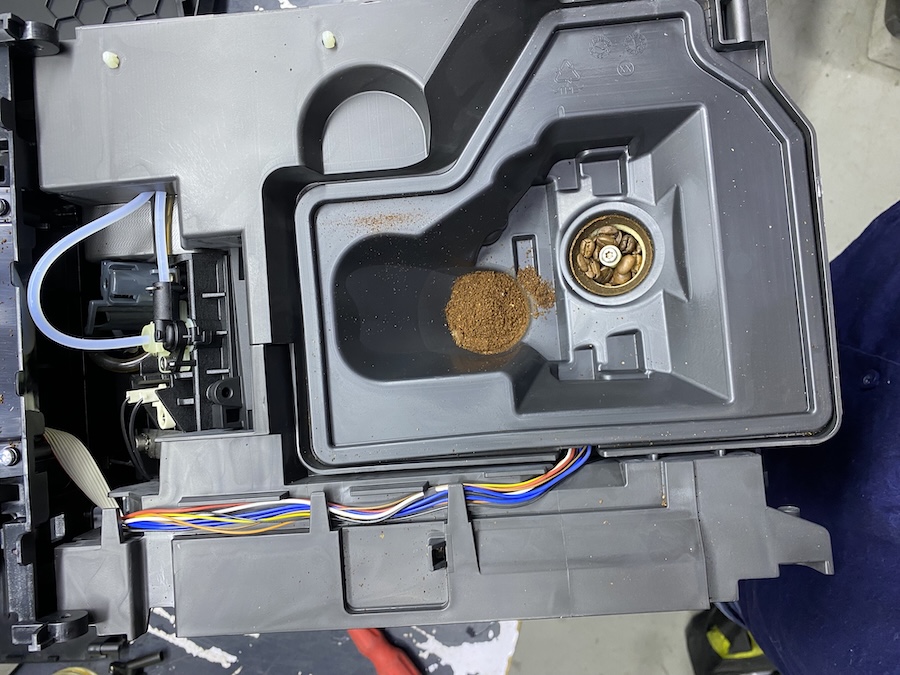
- Grinder blocked with coffee. A De’Longhi machine was grinding less coffee and stopping mid-grind. Ground coffee was stuck inside the grinder, so we serviced the grinder and brew unit.
If your coffee machine is pooling water in the drip tray, leaking or making less coffee even after a descale, it’s worth having it checked.
What to Do if Nothing Works to Fix My Slow-Brewing Coffee Machine?
If you’ve tried all the solutions mentioned above and your coffee maker is still producing less coffee than expected, it may be time to consult a professional technician. Coffee makers, like any mechanical or electrical appliance, have intricate internal workings that can occasionally experience issues that aren’t easily resolved through regular cleaning or simple adjustments.
Specific components within the machine, such as the pump, valves, heating element or brew unit, may have malfunctioned or require precise diagnosis to pinpoint the root cause of the problem. Breville’s support guidance, for example, says that if water flow stays restricted or the descale cycle can’t be completed, you should contact them for further assistance. Don’t open the machine yourself, as it contains mains wiring and parts that get very hot.
While DIY solutions are effective for many common issues, there are instances when the expert touch of a technician is the best path to a consistently satisfying cup of coffee.
Frequently Asked Questions
On pod machines, the most common causes are scale build-up, a blocked water filter, a water tank that isn’t seated properly, or coffee grounds blocking the needle that pierces the pod. Descale it as your manual describes and clean the parts it says you can. If it still makes a short cup, or water goes into the capsule tray instead of your cup, have it checked.
Usually scale or a blockage. Descale it with the product your manual recommends, clean the filters and basket, and check the grind isn’t too fine. If it’s still slow after a descale, the pump or a valve may need checking.
Weak coffee is often caused by a grind that’s too coarse, too little coffee, stale beans or water that isn’t hot enough. If you’ve adjusted those and it’s still weak, the machine may not be heating properly.
Only if your manual says so. Some manufacturers, including De’Longhi, recommend their own descaler instead, because vinegar can cause corrosion and leave an aftertaste. Using the wrong descaler can also affect your warranty on some machines.
In Conclusion
Dealing with a slow-brewing coffee machine can be exasperating, but it’s often a problem you can fix yourself with a bit of know-how and regular maintenance. By addressing any clogs, using the right descaler and keeping your coffee-making equipment clean, you’ll soon be back to savouring your favourite brew.
If your coffee machine still isn’t performing after a descale, our technicians can diagnose the problem and get it brewing properly again. Book online or call 1300 834 633.